
Ready to shake things up in the classroom? I’ve gathered some resources that’ll not only jazz up your teaching game but also sprinkle a healthy dose of creativity on your students. Today, we’re exploring the universe of stop-motion digital animation, and guess what? The only tool your students will need is our trusty and versatile friend, Google Slides!
Imagine your classroom turning into a lively workshop filled with buzzing excitement as students craft animated tales right from their desks. Google Slides is now the portal to a dimension where tech and creativity do a little dance together.
This journey isn’t just about adding some nifty tricks to your teaching repertoire but introducing your students to skills they could use later on while pursuing a possible career path!
What is Stop Motion Digital Animation?
You know those jaw-dropping films where objects seem to come alive, inch by inch, frame by frame? That’s the pure magic of stop-motion digital animation, and our students can join in on the fun!
Stop-motion animation is a bit like a flipbook. Typically, stop motion involves taking photographs of an object and slightly moving it before photographing it again to manipulate the scene. The objects in the scene will shift, ever so slightly, each time. This process is repeated several times. After the photographs are complete, the frame is played in sequence to make it appear that the object is moving all on its own.
In the classroom, using a digital animation format, this will look a little different! Forget about needing a fancy camera or heaps of photos. We’re turning to the powerhouse of creativity, none other than Google Slides, to make those imaginative stories burst into life, frame by frame.
Your students will become directors of their animated masterpieces without leaving their desks. No need for a film crew, just a bunch of creative minds and Google Slides acting as their digital stage. Students will duplicate slides in their presentation, making slight changes each time. Once complete, they will play the slides in sequence to show the changes!
So, instead of dealing with the hassle of cameras and tons of pictures, we’re keeping it simple and savvy. Google Slides becomes their canvas, and each click becomes a step toward bringing their stories to life in one of the most captivating ways possible.
Why Use Time to Teach Stop Motion Digital Animation?
Now, let’s talk about the magic that happens when you blend stop-motion animation with STEM lessons. STEM is all about nurturing problem-solving skills, critical thinking, and creativity. Stop-motion digital animation ticks all these boxes.

- Engaging Problem Solving: Creating an animation involves a series of problem-solving challenges. From planning the scenes to making tiny changes in each frame, students are constantly problem-solving and analyzing without even realizing it.
- Coding Concepts in Disguise: Believe it or not, stop motion is an undercover coding lesson. Students are essentially coding their stories frame by frame, learning to sequence, and understanding cause and effect.
- Math Meets Motion: Ever thought of animation as a math lesson? Well, it is! Counting frames, understanding timing, and manipulating shapes all involve math concepts. It’s math in motion – literally.
- Engineering Creativity: Every animation is a mini-engineering project. Students design scenes, plan movements, and troubleshoot when things don’t go as expected.
By introducing stop motion into your STEM lessons, you’re building a dynamic environment where creativity and STEM seamlessly intertwine. And. . . we haven’t even talked about the amazing language arts connections.
5 Steps to Begin with Stop Motion Digital Animation
Step 1: Setting the Stage for Stop Motion Digital Animation
First, transform your classroom into a center of creativity by using Google Slides as a dynamic canvas for stop-motion digital animation. Explore drawing tools, practice drag & drop techniques, and encourage your students to add shapes and colors.

Step 2: Planning the Project
Whether you’re leading a whole-class activity or encouraging individual projects, these activities offer flexibility tailored to your classroom’s unique needs.
Emphasize that there are no rigid rules. Let your students’ imaginations run wild. Utilize Google Classroom, another online learning platform, or a share link for easy and quick assignment distribution and management.
Pro-Tip: Remind students to choose “make a copy” for their editable version before you begin so that everyone is working on their own canvas.
Step 3: Fostering Creativity

Then guide your students as they design their own scenes in Google Slides.
Allow them the creative freedom to include their unique perspectives in each project while meeting the boundaries of the project.
Encourage the use of provided clip art, or empower them to search for graphics online. This step is all about nurturing creativity and expression.
Step 4: Nurturing the Digital Animation Process
While students duplicate slides and make small changes, witness the magic unfold as their scenes come to life. From subtle character movements to shifts in background colors, each change contributes to the storytelling process.
Pro Tip: Challenge students to experiment with a higher number of slides for smoother and more realistic animations. More slides with small movements are the key to creating smooth movement in the final product.
Step 5: Testing and Sharing the Masterpiece
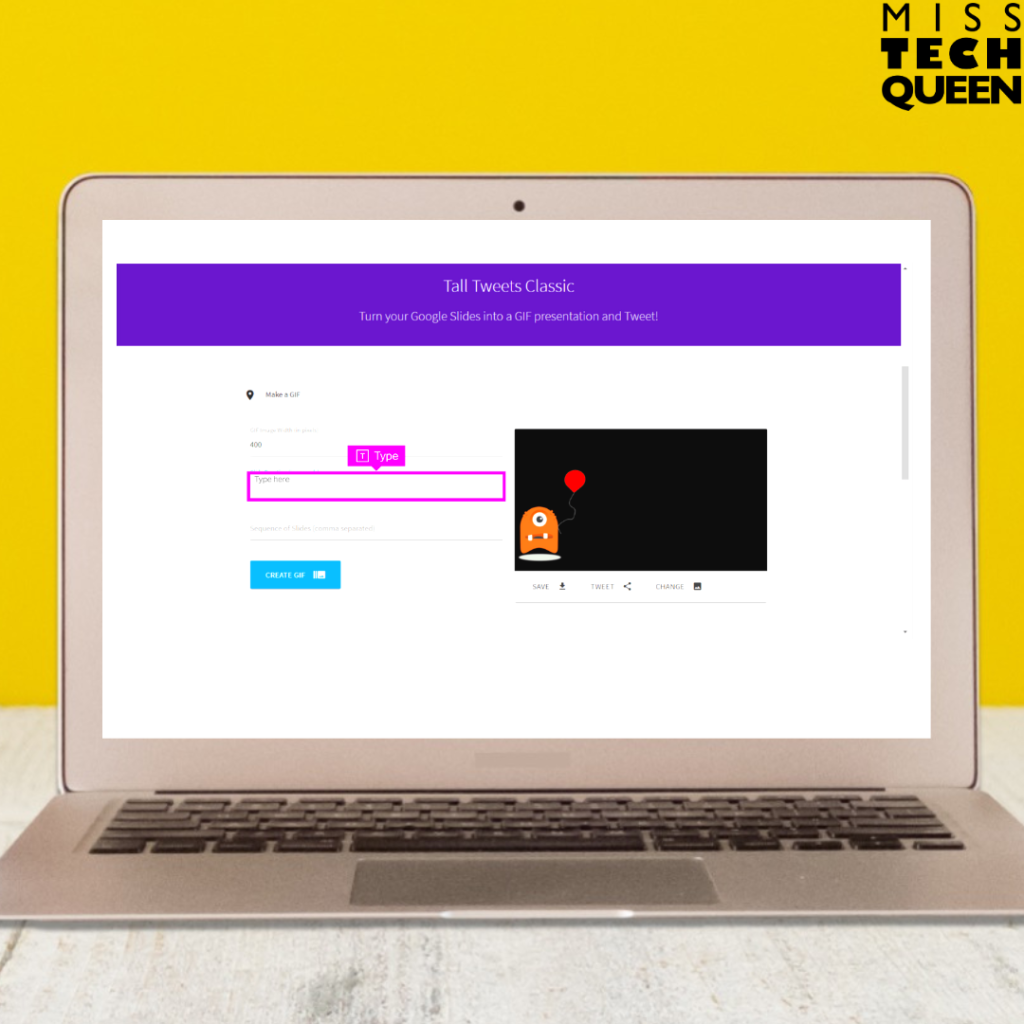
Finally, lead your students in testing their animations using simple tools like arrow keys or present mode within Google Slides.
To showcase their creations beyond the classroom, introduce them to platforms like Tall Tweets, enabling them to transform their animations into GIFs or moving pictures!
Emphasize the value of each student’s unique perspective and encourage them to share their animated stories with peers and beyond.
3 Stop Motion Digital Animation Projects
I’m sharing with you three different stop-motion digital animation projects you can start using in your classes today!
1. Stop-Motion Digital Animation Summer Project Makerspace Activities
Your students are in for a treat! They can try their hand at creating a summery scene, complete with two characters or props and a backdrop to tell their summer tale!
In this digital animation project, students are going to be the masters of stop motion using Google Slides. They’ll flex those artistic muscles, play around with copy and paste tricks, and even go on an online image hunt. They’ll also become experts at creating backgrounds and adding those jaw-dropping effects to their animations.
This project is for students of all ages and skill levels. It’s low-prep, meaning you won’t need to stress about tons of setup, and it can be done in a breeze across a couple of class periods. Students will have an absolute blast seeing their creations burst into animated life!
2. Stop Motion Digital Animation St. Patrick’s Day Project
Leprechauns, pots of gold, shimmering gold pieces, and rainbows – it’s time to weave a magical St. Patrick’s Day story through the art of stop-motion digital animation. Your students are in for a treat as they dive into the world of animated storytelling, bringing their scenes to life, one frame at a time. They can even turn their creations into a GIF to share.

This St. Patrick’s Day stop-motion project is as low-prep as it gets. It’s the perfect opportunity for your students to flex their tech tool muscles, all while crafting a whimsical story in the spirit of the Irish celebration.
Using Google Slides, students will set the stage for their St. Patrick’s Day storyline. Leprechauns will dance, pots of gold will sparkle, gold pieces will jingle, and rainbows will stretch across the screen – all in the name of creative storytelling.
Whether your classroom is 1:1 or you’ve got a mix of desktops, laptops, or trusty Chromebooks, this activity is ready for action.
3. Stop-Motion Digital Animation Sports Project Makerspace Activities
Get ready to step onto the virtual field because this digital animation project is here to turn your sports tales into animated masterpieces!

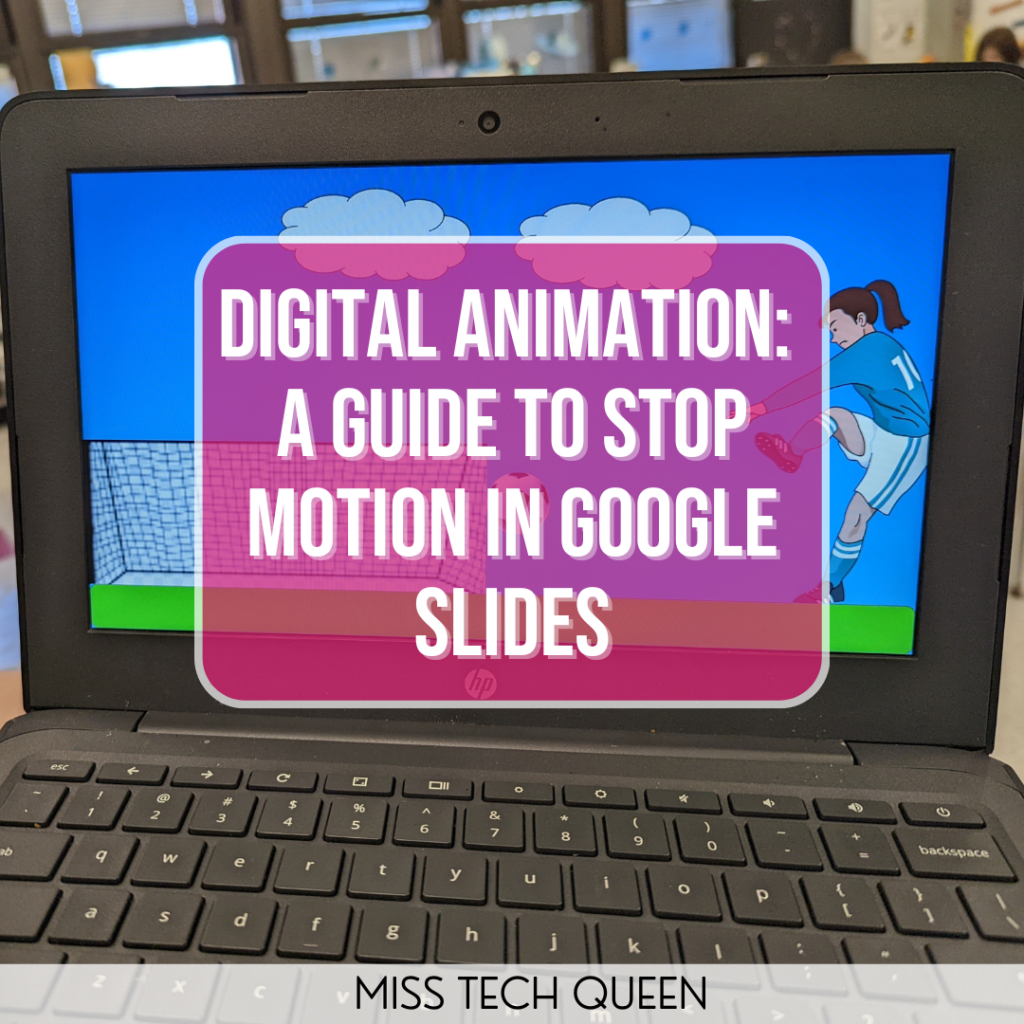
Imagine basketballs dribbling, hockey sticks slapping, baseballs soaring, and soccer balls scoring – all in the enchanting realm of stop-motion digital animation.
Your students are in for a treat as they bring their sports stories to life, with movements ranging from arms pumping in victory to a soccer ball gracefully gliding across the screen. They’ll practice their drawing skills, experiment with the copy and paste tool, and watch their creations unfold frame by frame.
This project is as low-prep as it gets, no need to stress about complex setups or elaborate planning.
How to Use These Stop-Motion Digital Animation Activities?
These projects are perfect for tech and computer classes. Whether you’re rallying the whole class or letting individual creativity shine, students can work at their own pace. The instructions, complete with screenshots, arrows, and text directions, make it a breeze for students to follow. You can either display the guide to the whole class or share the presentation link for an independent exploration.
How Long Will This Take?
Most important is to give your students the gift of time to craft their masterpieces. Multiple class periods will allow them to fine-tune their animations. Keep in mind that your students are aiming for 50+ slides because they want to create the most realistic moving results.
With These Digital Stop Motion Projects, Your Students Can Practice:

- Using drawing tools
- Copy & paste
- Searching for images
- Changing colors
- Adding shapes
- Mouse tools
- Drag & drop
- Line thickness
- Backgrounds
Bring Your Students’ Stories to Life!
Embarking on the journey of stop-motion digital animation opens up a world of creative possibilities for your students. Whether weaving a magical tale for St. Patrick’s Day or crafting an action-packed sports story, the fusion of technology, storytelling, and creativity through Google Slides makes learning not just informative but incredibly fun!
The low-prep nature of these projects ensures accessibility for all levels. Every student can unleash their imagination and storytelling powers because they are putting their own creative twist on the story. As we witness scenes come to life frame by frame, we’re not just creating animations. We’re nurturing a love for learning and skills that can extend beyond the classroom.
Looking for More Engaging STEM Activities?
Check out these posts for more ideas to use in your classroom!
- Mouse Practice Mastery: Essential Tips for Students
- Shifting From STEM to STEAM in the Classroom
- Integrating STEM Into the Classroom: How to use STEM Learning All Year Long
Save for Later
Remember to save this to your favorite STEM Pinterest board to return to when planning for your stop-motion digital animation project!